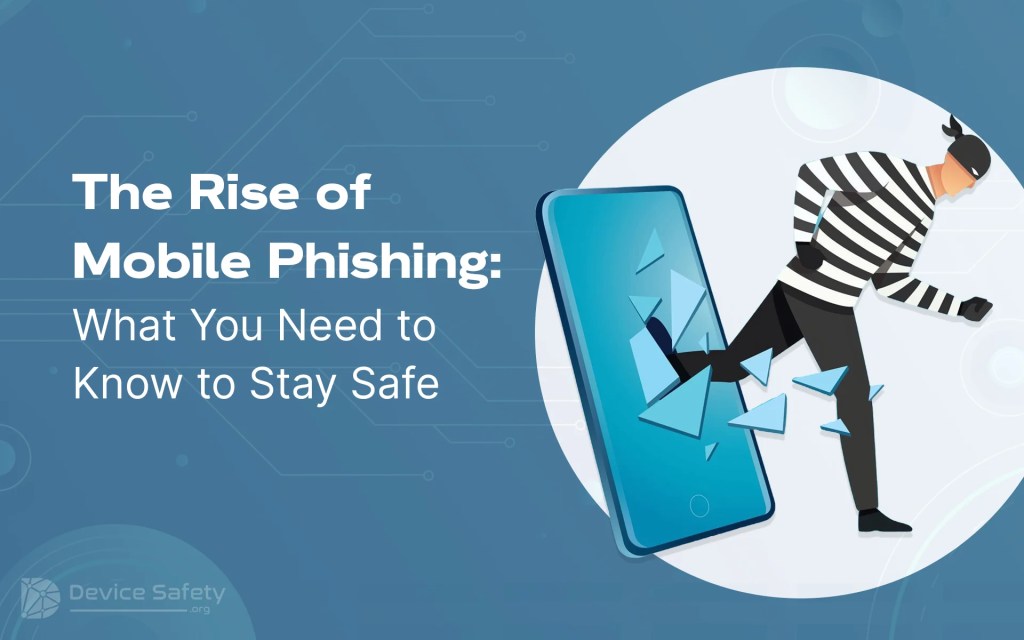
Gone are the days when smartphones were used only for communication. Today, the scenario is completely changed. We can do shopping, schedule meetings, study, video chat with our loved ones, and more through smartphones. Of course, smartphones bring convenience, but they also have hidden threats.
Whether you are at work or home, someone is always looking at your smartphone. With over 4.88 billion smartphone users worldwide, it’s no wonder that hackers turn to smartphones to steal data and personal information. This blog explains mobile phishing and everything you need to know to stay safe.
What is Mobile Phishing?
Phishing encourages you to take action that gives hackers access to your device, personal information, and accounts. They pretend to be a person/organization you trust, infect your device with malware, or steal your personal/professional information. Mobile phishing attacks use mobile devices like smartphones and tablets to deliver malicious content.
Generally, mobile phishing attacks are harder to detect because they extend beyond regular email phishing. The various types of phishing are SMS and text messages, voice calls, apps, and social media messaging.
Why is Mobile Phishing Rising?
The more time we spend on mobile devices, the more we are prone to phishing and smishing. These days, hackers mimic trustworthy companies, utilize believable language, and exploit current events, aiming to trick victims. Besides, weaker mobile security measures are the main reason for mobile phishing.
Tips to Stay Phishing-Free
Staying safe from mobile phishing is tricky, but you can easily achieve it if you follow the below-mentioned mobile security practices.
1. Carefully Check the Sender
When you receive any SMS from an unknown sender, check the sender’s mobile number or email address carefully. Generally, phishing attempts use strange formatting or typo errors.
2. Don’t Click on Embedded Links
Received attachment or link from the unknown sender? Don’t click on it. Even if it appears to be a genuine company, verify the information by directly contacting the company via their official channels.
3. Use Strong Passwords
You must use strong passwords that are hard to guess. Your password should be unique and complex. If your smartphone has the Face ID or fingerprint lock, use it to prevent yourself from mobile phishing attacks.
4. Two-factor authentication is a Must.
A strong password protects you from unauthorized access but is not a foolproof solution. For the additional security step, enable two-factor authentication. It prevents unauthorized access and phishing.
5. Install the Security Software
There are various anti-virus software solutions available for mobiles. It eliminates the malicious activity. Besides, installing reliable security software on the smartphone offers additional protection against phishing and malware attempts.
6. Use Only Official Apps
Whenever you want to download any app, download it from the official resources such as Google Play Store and App Store. Downloading apps from unofficial resources might seem tempting, but you can be the mobile phishing victim. So avoid downloading from the unofficial sources.
7. Security Awareness
Prevention is the best defense, so ensure you/your employees stay updated about the latest mobile phishing trends. Make sure you establish a security-first culture for yourself and even within your organization to reduce successful phishing attacks.
8. Use Safe Browsers
You should install safe browsers with strong security features to prevent mobile phishing. Such browsers will eliminate the phishing sites and malware.
9. Keep Incident Response Plan Ready
Sometimes, you or your employee unknowingly click on the malicious link or share personal information. What to do in such a situation? Have your incident response plan ready. Ensure you document each step, such as quarantining your mobile device to review logs to find the other infected users.
10. Keep Your Software Updated
Usually, the mobile OS is the target of phishing and other malicious attacks. Therefore, ensure you remain secure and up-to-date. Therefore, keep all your software, including OS, updated occasionally.
11. Collect Evidence
If your employee becomes the victim of mobile phishing, encourage them to send a screenshot of a malicious SMS, message, or email received from the targeted mobile device. When you know from which targeted mobile device you/your employee have received the text, it will help you find out the hackers behind it. You should report to the relevant authority if you become the victim of any phishing attack.
12. Avoid Responding to Suspicious Messages
Have you received a suspicious text message? If yes, don’t respond. If giving a response is necessary, respond through the verified official channel.
To Sum Up
By being cautious and following the above-discussed tips, you can reduce the risk of mobile phishing attacks. Remember, being a little careful goes a long way in protecting your hard-earned money and sensitive information. Hopefully, the above tips will help you stay safe and sound from mobile phishing attacks. We have covered everything you need to know about how to stay safe from mobile phishing attacks. If you still have any queries, let us know in the comment section.


Leave a Reply